
Reservations
Reservation links and the guest portal
How the magic link works, what the guest sees, and how reception handles requests from the reservation link.
Updated: 4 Nov 2026
What is a reservation link?
A reservation link is a private address for the guest page. The guest does not need an account or a login — the secure link shows only their own reservation.
In the panel, next to the Reservation links heading, the ? icon opens this article.
The Reservation links section contains two addresses: - Guest link — the page on the property brand domain, e.g. mscapartments.pl, - Simplevent panel link — the same reservation preview inside the Simplevent panel.
Both point to the same reservation. Send the guest link to the guest; the panel link is for internal preview.
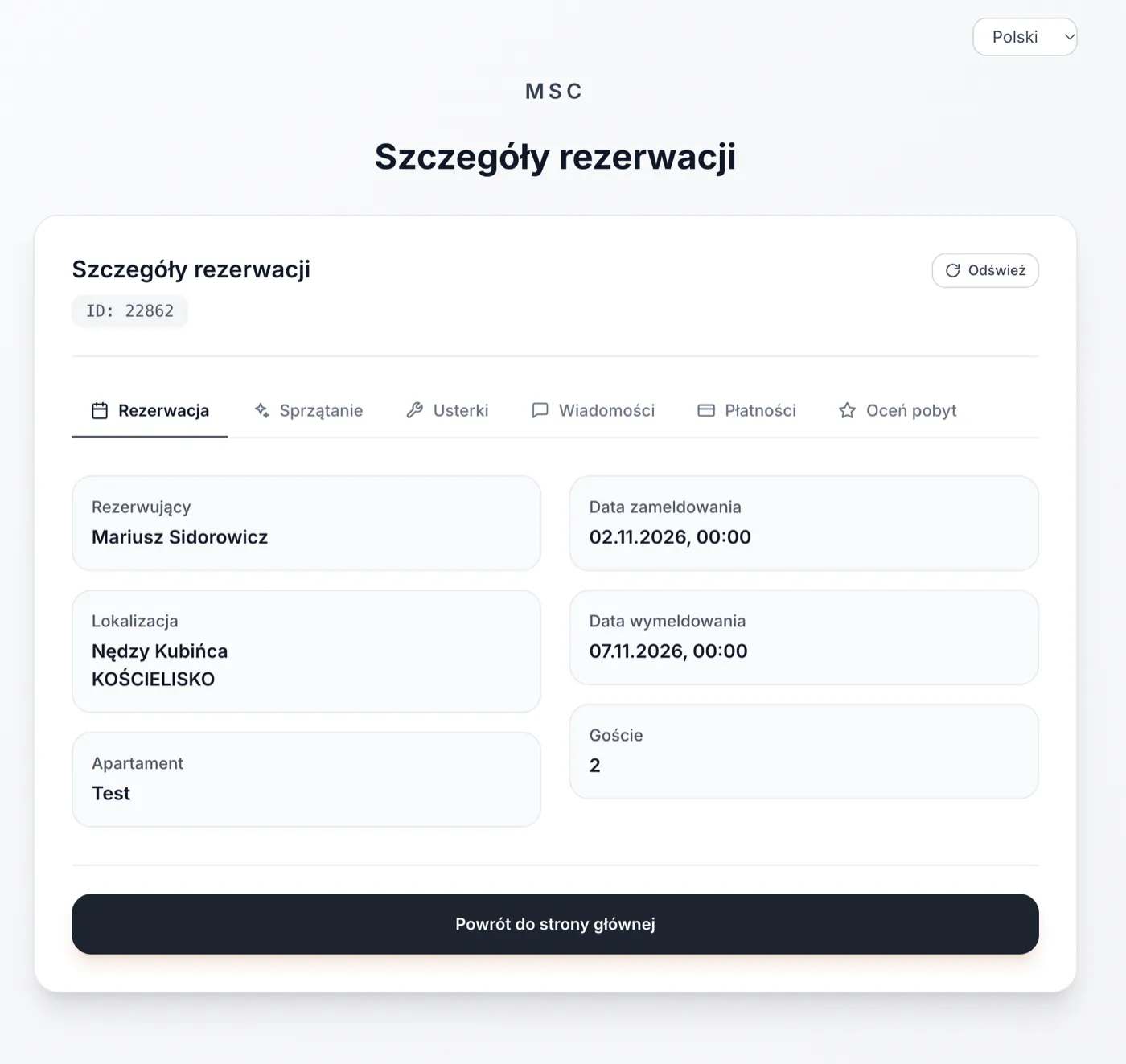
What can the guest see and do?
The guest page shows the stay dates, apartment, location, number of guests, status and payments. The guest can switch between tabs and submit requests to reception.
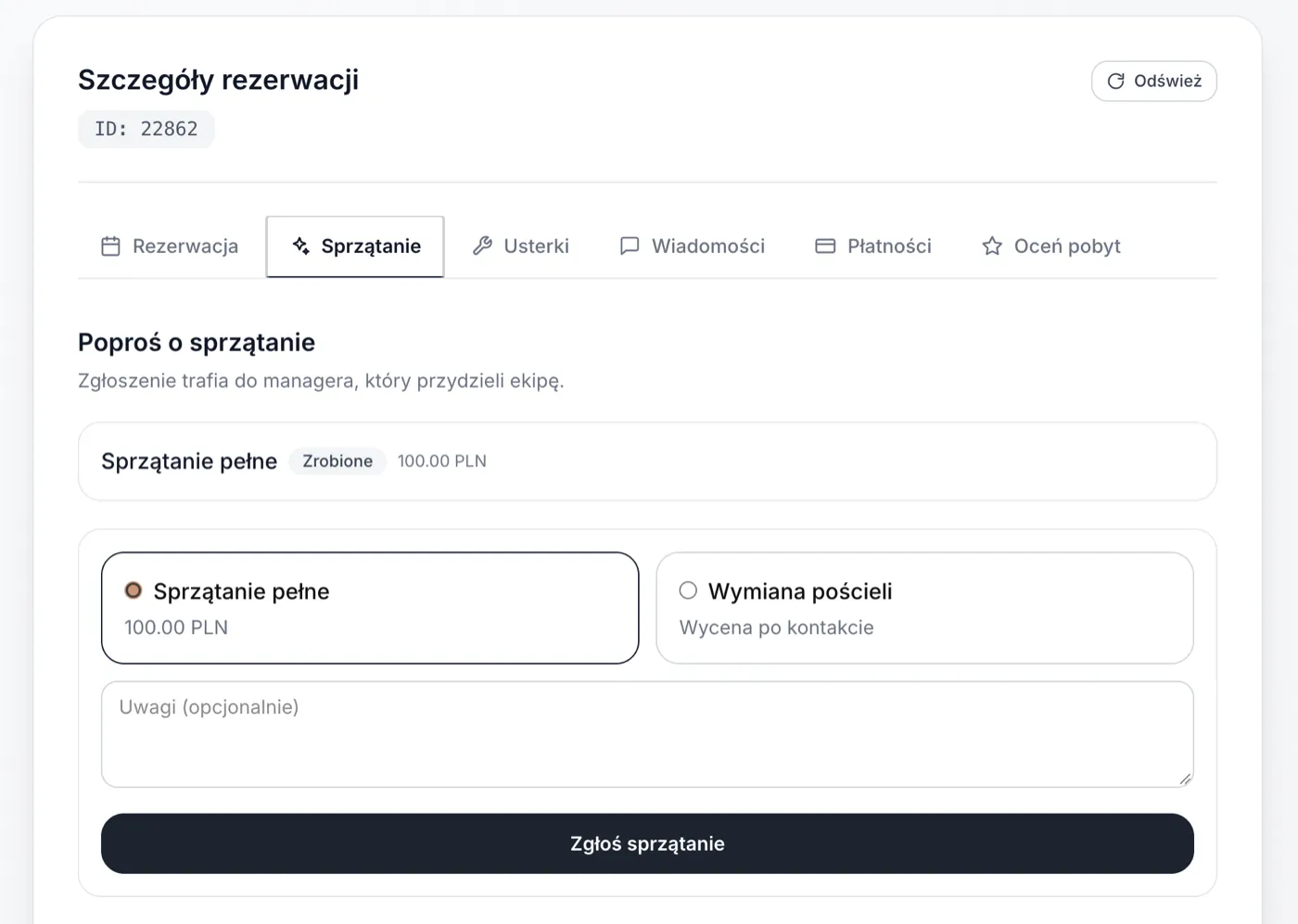
Cleaning
The guest can request a full clean or a linen change, add notes and send the request. It goes to the manager, who assigns a person and updates the status.
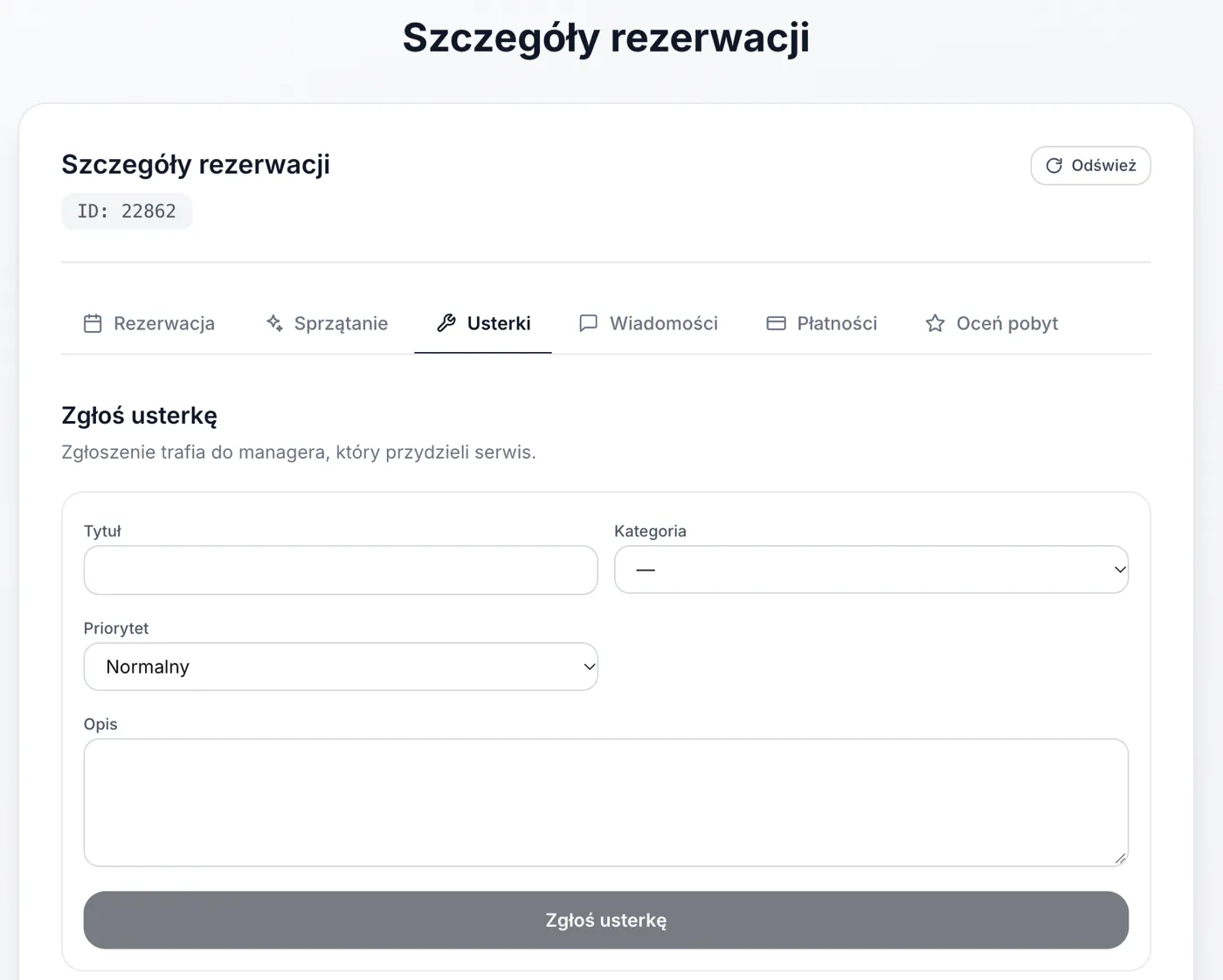
Issues
The guest reports an issue with a title, category, priority and description. The request goes to the manager, who assigns maintenance. The guest can see the status.
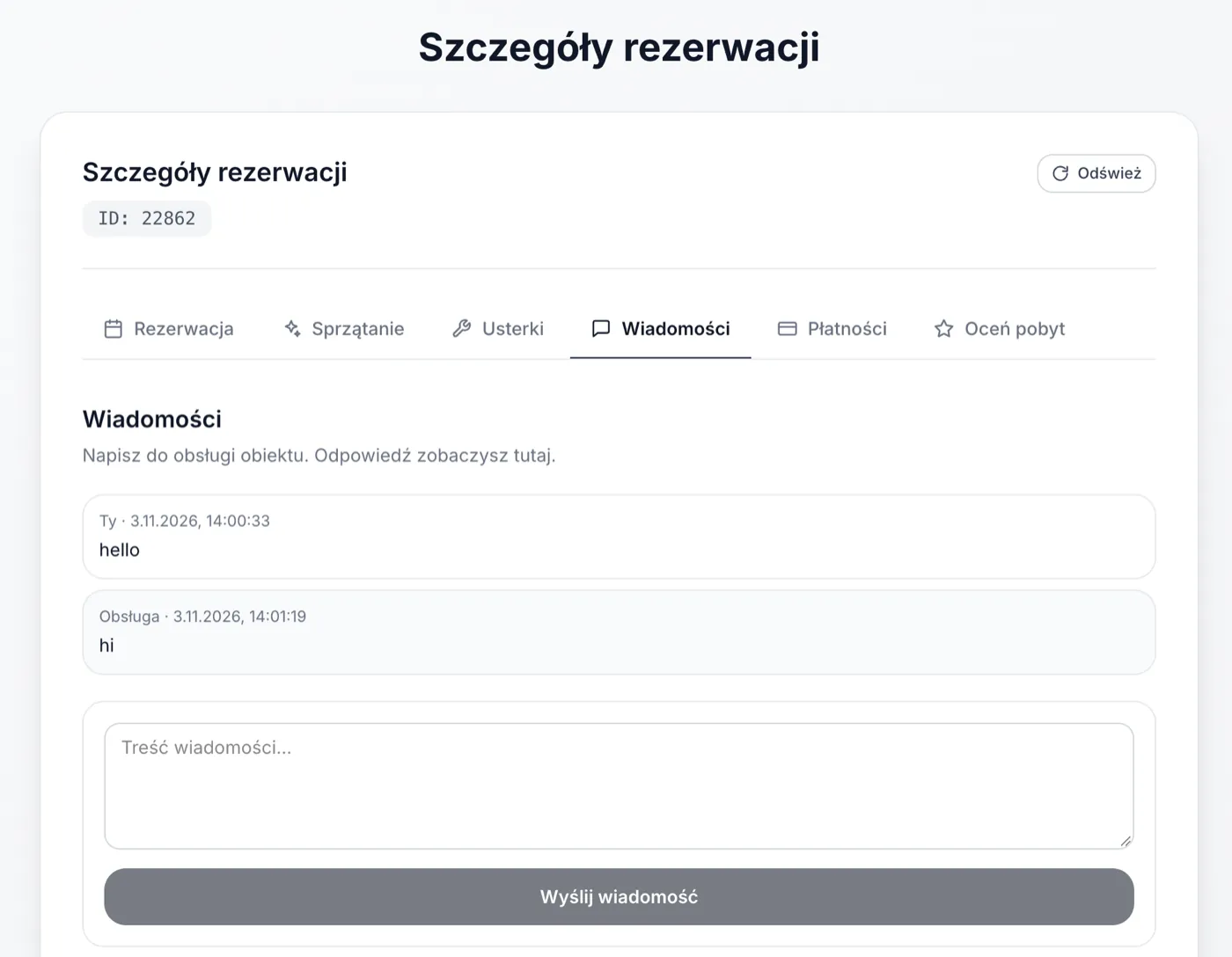
Messages
This is a direct chat between the guest and the team. The guest writes a message and the reception reply appears in the same thread — no email or phone tag needed.
Payments
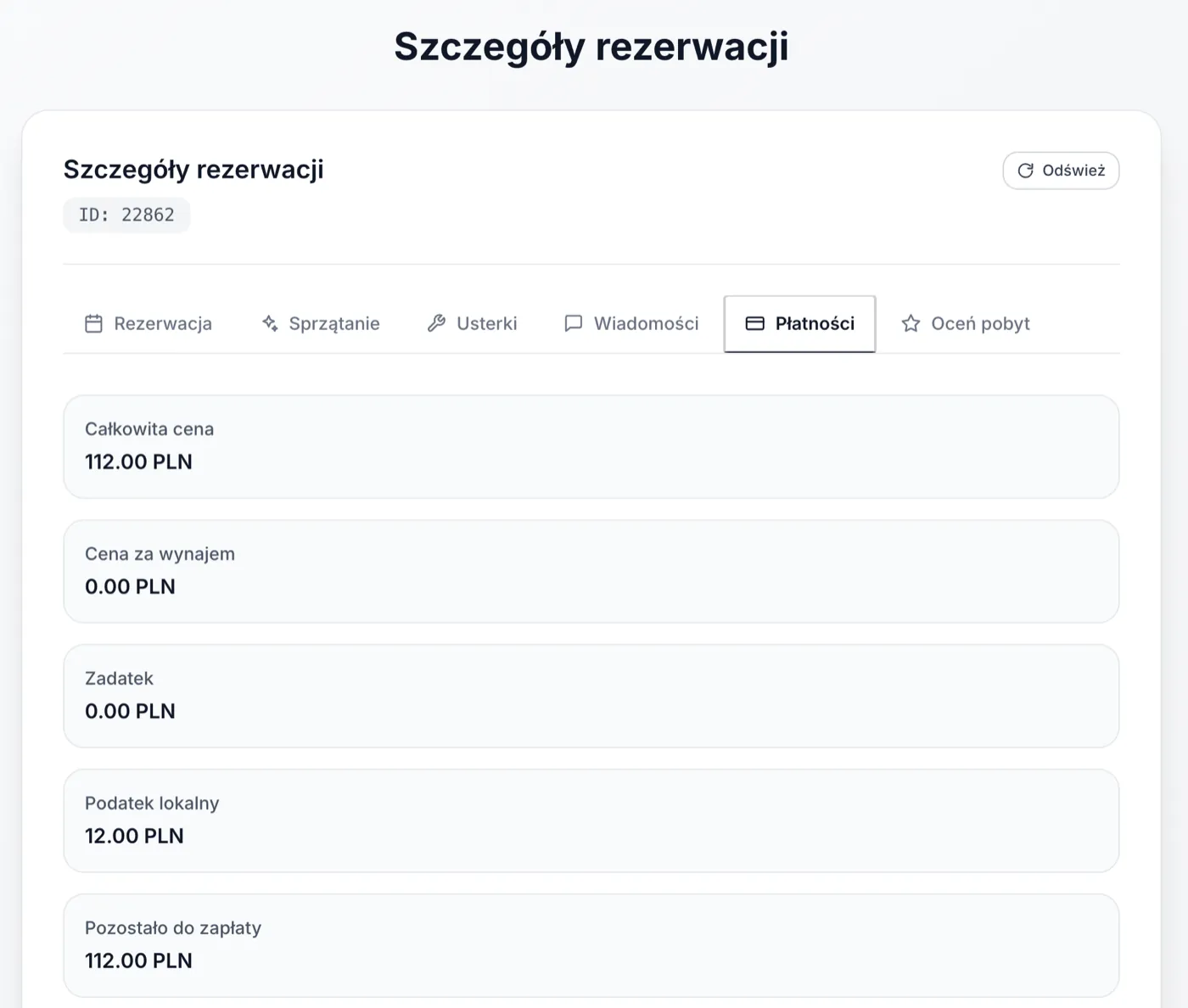
This tab shows the total price, rental price, deposit, local tax and the remaining amount. The guest has a clear view of the reservation balance.
Stay review
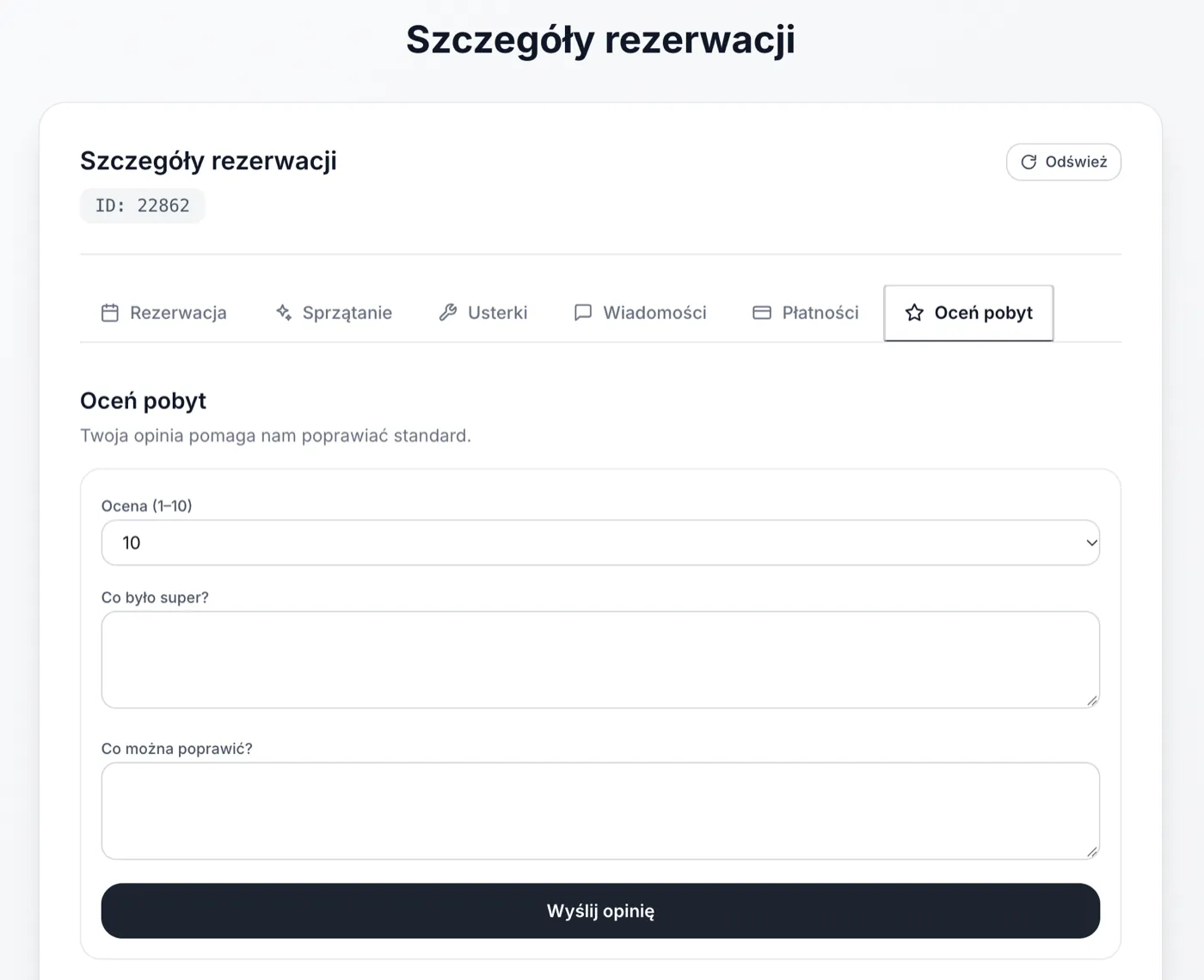
After the stay, the guest can leave a score from 1–10 and write what was great and what could be improved. The review goes to moderation and is published from the Reviews panel. Only approved reviews appear publicly.
What does reception see?
Requests and messages from the guest link appear in Simplevent on that reservation. Reception can: - assign cleaning or maintenance to a person, - reply to a message, - change the request status, - publish or hide a review.
The guest sees replies and statuses after refreshing the page.
Security
The link contains a private reservation token. Do not share it publicly or send it to third parties. The link is valid until 14 days after check-out; after that it expires.