
TL;DR
- Organizer is a task planner inside the Simplevent panel — no extra app.
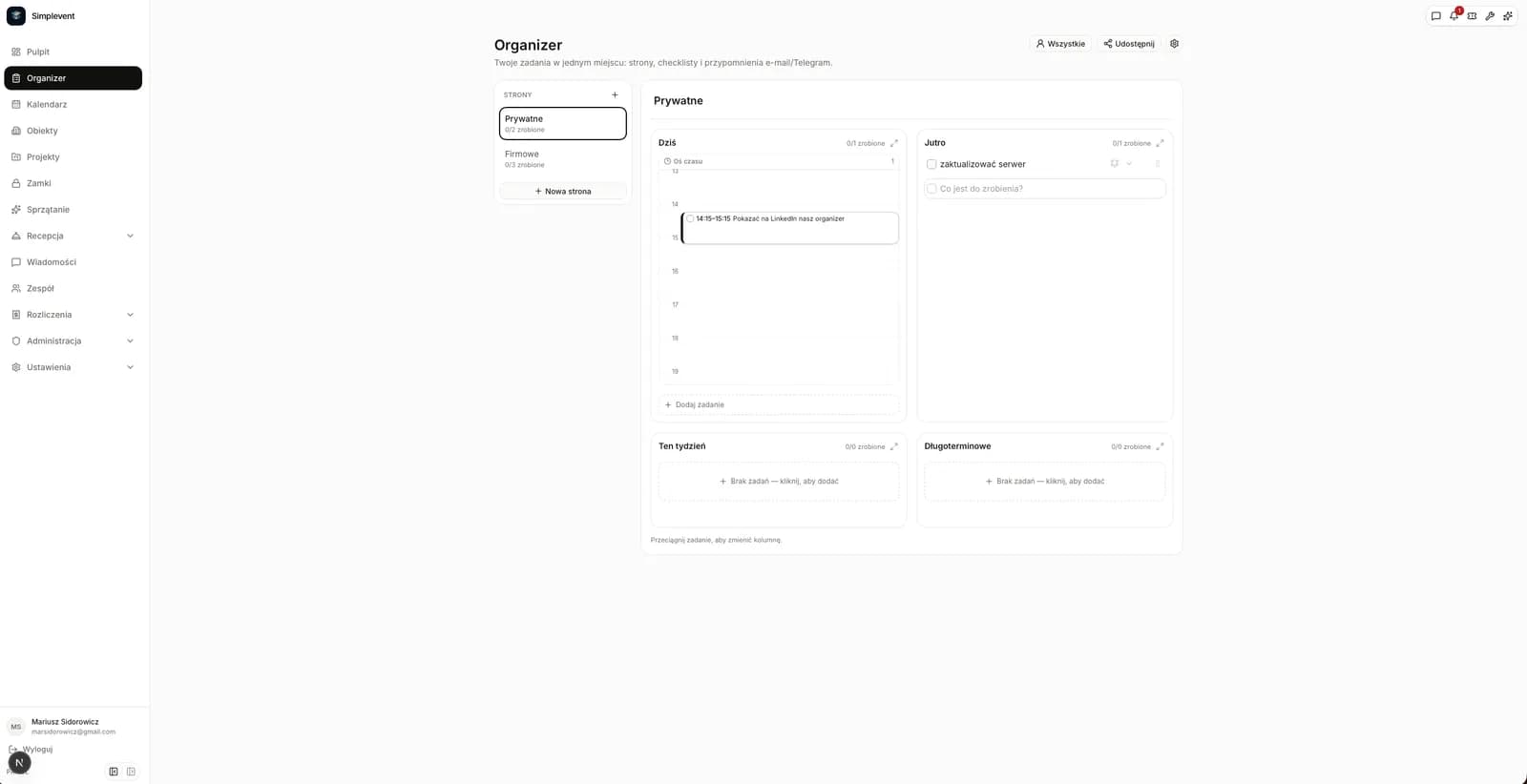
- Four columns (today, tomorrow, this week, long term) plus a day timeline.
- Notes, subtasks and e-mail/Telegram reminders.
- Page sharing, roles and task assignment on the PRO plan.
Why a task planner inside the PMS?
Reservation-related tasks get lost between apps. Organizer is part of the panel, so you do not switch to Google Tasks or Notion — checklists and reminders sit next to the calendar and reservations for you and your team.
Pages, four columns and a timeline
Each page has a title and four columns: Today, Tomorrow, This week and Long term. In Today you can set a start time and duration, and the task appears on a vertical timeline. Drag a block to change the time, or drag it to another column to move it. Any column can be expanded to full width. When a new day starts, tasks from Tomorrow automatically move to Today — once per day, when Organizer is first opened. Tasks left in Today stay there as overdue.
Notes, subtasks and reminders
Every task can have a note and a list of subtasks with their own checkboxes. Set a reminder for a chosen time and send it by e-mail and/or Telegram. Reminders are delivered by the Simplevent worker, so they arrive even when the panel is closed. Pasting a multi-line list into the new task field lets you create one task with subtasks, separate tasks, or a single task keeping the line breaks — in one step.
Teamwork and assignments
On the PRO plan you can share a page with specific people as Editor or Viewer. You see who has access, and invitations arrive by e-mail. Assign tasks to page members to get avatars, a My tasks filter and an assignment notification. Other people's changes show up within seconds.
Getting started
Open Organizer, create your first page and add tasks to the columns. Set a time for today's most important task, add a note and a reminder. If you work with a team, share the page on PRO and assign tasks.
Frequently asked questions
Is Organizer available on the FREE plan?+
Yes. The planner and reminders work for everyone. Sharing pages and assigning tasks require PRO.
How does the timeline in Today work?+
Set a start time and duration and the task appears on the vertical timeline. Drag the block to change the time or move it to another column.
Will reminders arrive when the panel is closed?+
Yes. Reminders are sent by the Simplevent worker every few minutes, regardless of whether the panel is open.
Open Organizer