
TL;DR
- All issues land in one place instead of several communication channels.
- A report created in the calendar is automatically linked to the property and reservation.
- Statuses, priorities and filters show what needs attention first.
- The ISSUES module and permissions limit the view to the right properties and tasks.
Why one place for reports changes the way a team works
Phone calls, emails, SMS messages, chat threads and notes on a desk — that is where most issue information gets lost today. One shared register gives every report an owner, property, status and history. Reception stops asking "did anyone report this?" and managers immediately see what is blocking a guest's stay.
From reservation to report: cleaner workflow in the calendar
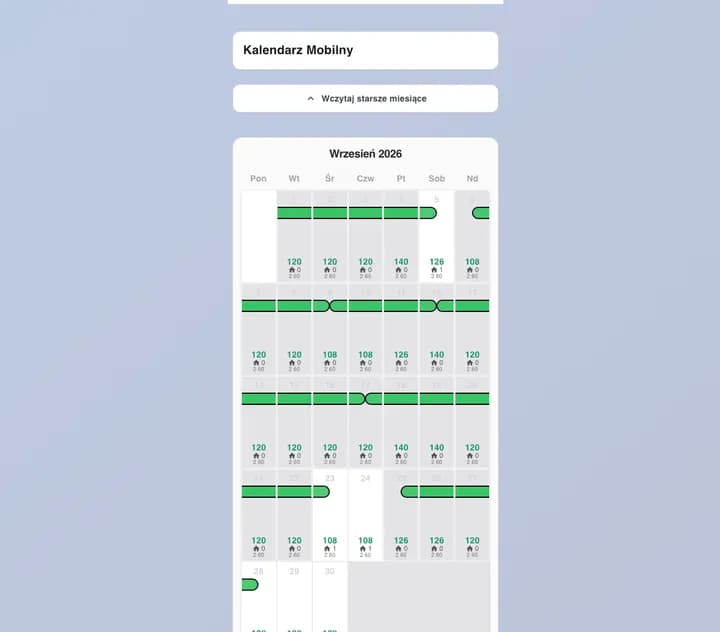
A cleaner with CLEANER permission opens the calendar, clicks a reservation and sees the key details plus internal notes. With one button they add an issue that is automatically linked to the property and the specific reservation. Managers responsible for the property receive a bell notification immediately, so a new issue never waits for a manual review.
What makes a well-described report?
A title, description, category, priority and exact location. The team immediately knows whether it is plumbing, electrical, cleanliness or equipment, and whether it is urgent. The reservation link adds stay context, while the report date and reporter create full accountability for the task.
/issues centre: filtering, statuses and fast reaction
The /issues page brings every report into one view. Stat cards show open, in-progress and resolved work, while filters narrow the list by property or status. Search finds an issue by title, description, property or reporter. You change status directly from the list, so the morning review takes minutes instead of hours.
Access only to the right properties
The /issues page runs on the ISSUES module (Pro or Enterprise; an admin can also enable it manually in Modules). ADMIN sees every report, owners see their properties, MANAGER or ADMIN permission limits access to assigned properties, and SERVICE users see only tasks assigned to them. A manager can pick a service user from the list of people with SERVICE permission for that property.
How to roll out issue reporting in daily reception work
Start with one rule: every issue goes to /issues, not a private chat. Agree on priorities, review open and urgent reports every morning, and check the list during shift handover. Assign work to specific SERVICE users — they receive an email with the property, place, description, priority, report date and guest departure date, then set the status to In progress or Resolved in /issues. Close the issue after verification.
Frequently asked questions
Can a cleaner report an issue without full system access?+
Yes. CLEANER permission lets them open reservation details, see internal notes and submit a report linked to the reservation.
Is a report linked to a reservation?+
Yes. A report sent from the calendar stores the reservation and property identifiers, so you always know which stay it belongs to.
Who can see reports in the /issues centre?+
ADMIN sees all reports, owners see their properties, MANAGER or ADMIN permission grants access only to assigned properties, and SERVICE users see only tasks assigned to them.
See how Simplevent organises your team's work